Showing posts with label exchange 2013. Show all posts

Thursday, November 20, 2014

Exchange 2013 Outlook and OWA Search Does Not Work

Exchange 2013 Outlook and OWA Search Does Not Work

As with all previous versions of OWA, Exchange 2013 has a search function that is above the mail column as seen below.
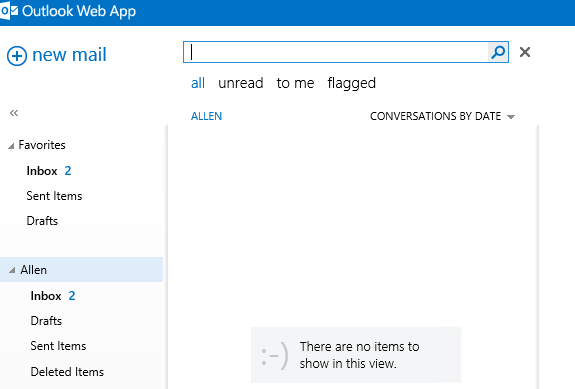
Exchange 2013 owa search
I came across an issue recently where if you did a search in OWA 2013, no results would be show, no matter what information I used as the search keywords. No matter what no search results where found. In Exchange 2013 , the search index is stored with the Mailbox store where the users are located. To resolve this issue and build the OWA 2013  and the Exchange search index again we needed to do the following. This error may also occur withOutlook clients that are not in cached mode.
1) Stop Service
 navigate to services stop the Microsoft Exchange Search & Microsoft Exchange Search Host Controller service.
2) Locate User Mailbox Database.
Once done locate the folder on your server where the Mailbox database is where the user is trying  to search from. For example mine is here.
C:\Program Files >Microsoft > Exchange Server > V15 > Mailbox > Mailbox Database 1403936621
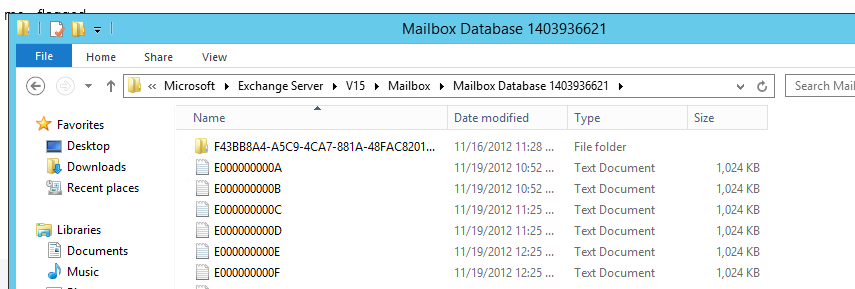
Exchange 2013 Search database
If you are unsure where the the mailbox database is use the command below from power-shell.

Get-MailboxDatabase "yourmailboxdatabase" |fl name,*path*
Once the path is located you will find a folder name with a long “GUID” and the word Single on the end.

exchange 2013 search guid
3) Rename this folder .old.
We then need to start the Microsoft Exchange Search service again, The server will now begin to rebuild its search index.
Give it plenty of time to rebuild then issue the command below and make sure the status of Content Index Status is seen as healthy.
Get-MailboxDatabaseCopyStatus
As seen below, if it says healthy try your search and you should see that your search results now appear in Outlook and OWA 2013.

Exchange 2013 rebuild search index

Wednesday, August 21, 2013

error: Your request can't be completed right now. Please try again in a few moments.

error: 2013 Your request can't be completed right now. Please try again in a few moments.

I have setup Microsoft Exchange 2013 on windows 2012 Standard server operating system with Clean installation without any error. 
 
After installation I did many configuration and Testing than decided to Fully update the Exchange server as well as windows 2012 server. 
 
I found two update of Microsoft Exchange 2013 standard server on Microsoft TechNet
Cumulative Update 1 and 2
 
if you download Cumulative update 2 than no need to download CU1 because CU2 includes the CU1.
 
Cumulative Update file has very large size 1.3 GB which can be downloaded from below URL.


After Applying exchange Cumulative Update I landed with new error and not able to open Exchange Control Panel configurations.
 
Error:  
 
error: Your request can't be completed right now. Please try again in a few moments.
 
I was wondering why this problem occurred after updating the exchange server earlier it was working fine without any error, in a resolution I search a lot on a website but couldn't find proper solution than I recall the configuration did earlier before updating the server and found one clue and resolved my problem.
 
Cause :
 
Invalid site binding entry in Exchange Back End website
 
Resolution :
 
1) open Administration Tools
2) open IIS
3) Nevigate to exchange back end website
4) Click on Site Binding
5) Remove user defined Site binding.
 
6) Restart IIS / Restart server
7) you are Done!!!!
 
 
This solution works in my case !!!!
 
 
Regards,,
Gaurang Patel